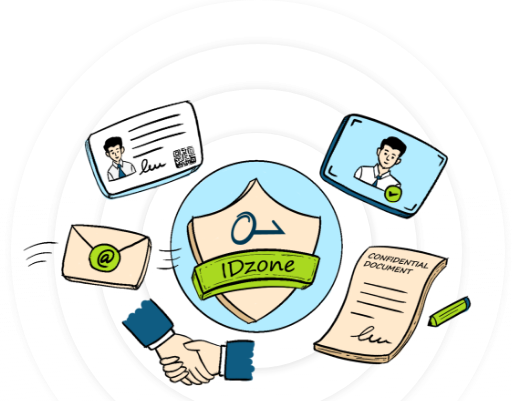
Create an IDzone to secure the digital identities of everyone in your organization
IDzone is a feature of xorkeesign that allows organizations to create a private grouping where employee identities are cryptographically supported. IDzone uses the organizational attestation of employees' attributes and their keys. This enables a larger and more up to date set of employee attributes. IDzone uses the organization’s attestation to allow employees sign documents and emails. A cost efficient and scalable solution that gives your employees a unified digital identity.
Creation
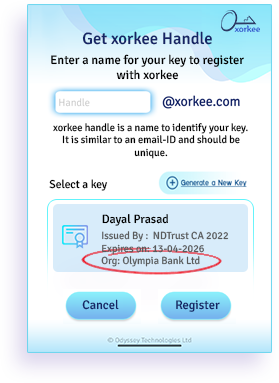
A person representing your organization with a qualified DSC that also mentions the organization's name can create an IDzone for your organization. This role will usually be carried by the HR or the network admin.
If the certificate does not carry the organization's name it is still possible to make the certificate holder as an IDzone admin by letting a higher level functionary of the organization such as a director to certify the person’s role.
xorkeesign can also ascertain the director's identity by referring to the MCA site in India and a similar mechanism elsewhere.
Organizational DSC
- Install xorkee app and create a handle for the organisational DSC.
- Login into xorkeesign.com and navigate to the idzone section.
- Click on "create" and follow the instructions as prompted and the IDzone will be created.
Personal DSC
- Install xorkee app and create a handle for your personal DSC.
- Login into xorkeesign.com and navigate to the idzone section.
- Before you do this, you will have to be authorized by your organization to create an Idzone.
- Enter the organization and authorizer details.
- Once the authorizer has approved your request, the Idzone will be created.
Configuration
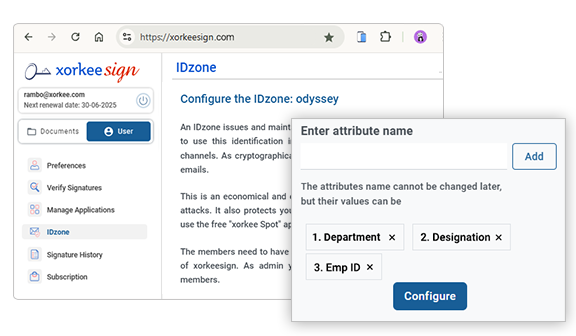
The IDzone admin should enrol in xorkeesign and navigate to 'IDzone' under the 'User' menu.
You as an IDzone admin can specify the attributes of employees which befits the organization.
Each organization may have its own specialized attributes that would describe their members. A hospital might want to mention the medical/surgical speciality and whether the person is a doctor or an attendant etc. A law firm may mention the practice the particular lawyer is engaged in, the courts he practices in or if he’s a paralegal.
Other examples are designation, department, age, gender etc.,
There is a limit of ten attributes for an idzone.
Add members
Once the list of attributes is configured, members can be added one by one or in bulk.
The members of the zone should first install xorkee app on their mobile and register a handle. These handles will be included in the members' attributes in IDzone.
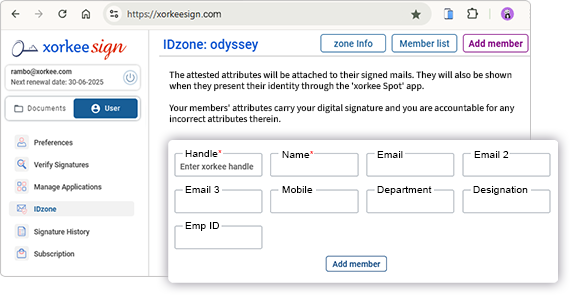
Many a time these attributes will be dynamic, like the station of posting for a civil servant or area of operation for a maintenance person. IDzone lets you attest the most up-to-date information of every member. IDzone admin can also modify these attributes anytime with the members consent.
These attributes may not be specified in the X.509 standard and therefore not included in a Digital Certificate issued by a public CA. But several such attributes have become important in the modern business contexts particularly for the businesses that take digitalization seriously. xorkeesign caters to these needs.