
India G2C
Simplifies Digital Signatures on Indian Government Portals
Digital signatures no longer have to be complex. With the xorkeesign G2C browser extension signing on various government portals is fast, compliant and stress free.
Government of India offers many of its citizen services through the web. Income tax and GST returns can be filed through a browser, employers can file their Provident Fund returns online and most of the interaction with the Department of Company Affairs can be done online. In addition, the bidders for most of the government tenders can and must file their bids only online.
While online filing offers convenience, inconsistent interfaces and the need for multiple often outdated software tools create a frustrating experience for citizens and professionals alike.
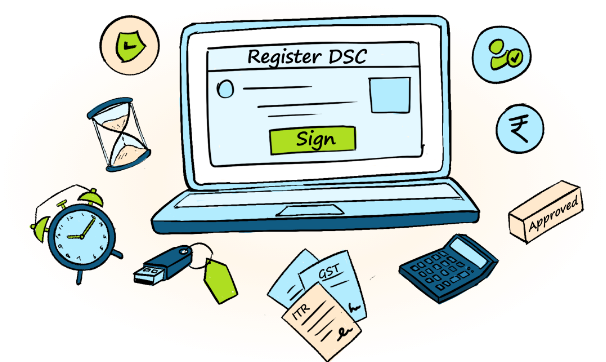
A single browser extension for seamless digital signing on government portals
xorkeesign offers a one size fits all solution for these portals by way of a simple browser extension. Leveraging the xorkee infrastructure that facilitates routing of signature requests to computers and to even mobile phones, these browser extensions are able to function identically for all the portals as well as across OS platforms. xorkeesign G2C extension works even on some platforms not supported for digital signature by the original portals.

No Java or Token Drivers

No PKI components

A Unified Browser Extension
Free Usage
Just add the extension and use these sites normally









Benefits of xorkeesign India G2C

Clients can sign documents remotely, eliminating the need to physically share DSC tokens with consultants.

Use any Browser, Computer or Mobile Phone.

Save time with a consistent, intuitive interface. Once you know how to sign on one portal, you know them all.

Evades the need for Java, emSigner/emBridge/CrisSigner/ other signing tools with a simple browser extension.

Use your DSC token directly without the hassle of installing or updating token drivers.

Signing in some of the G2C portals are absolutely free and others require a nominal fee.
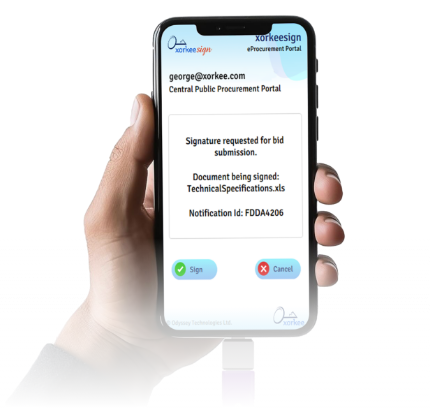
Sign documents on government portals with your phone
Now the users can file their returns and tenders on the move with just their DSC tokens on the android phones.


