xorkee Supported Crypto Tokens
All these tokens can be used in xorkee without any driver installation.
SafeNet eToken
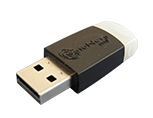
Vendor Id: 0x0529
Product Id: 0x0620
Safenet eToken PRO 72K (Java)

Vendor Id: 0x0529
Product Id: 0x0620
Feitian ePass 2003 Auto
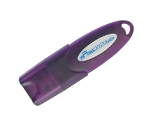
Vendor Id: 0x096E
Product Id: 0x080A
Feitian ePass 2003
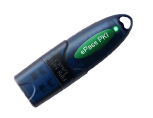
Vendor Id: 0x096E
Product Id: 0x0807
WatchData ProxKey
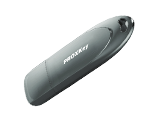
Vendor Id: 0x163C
Product Id: 0x0417
Longmai mToken CryptoID
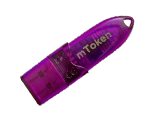
Vendor Id: 0x055C
Product Id: 0x0223/0x0229
Longmai mToken CryptoID

Vendor Id: 0x055C
Product Id: 0x0223
G&D StarSign
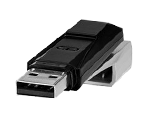
Vendor Id: 0x1059
Product Id: 0x0017
HYPERSECU HYP2003

Vendor Id: 0x096E
Product Id: 0x080A
HYPERSECU uses the same product ID for FIPS 140-3 certified tokens too
Precision - InnaIT PK12XX-DSC
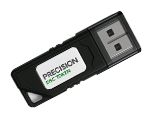
Vendor Id: 0x338C
Product Id: 0x22
The token is not compatible with iOS devices
Precision - InnaIT PK32XX-DSC
Vendor Id: 0x338C
Product Id: 0x31
Compliance: FIPS 140-3
The token is not compatible with MAC devices
Precision - InnaIT PK31XX-DSC
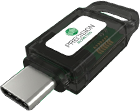
Vendor Id: 0x338C
Product Id: 0x32
Compliance: FIPS 140-3
The token is not compatible with MAC devices
OTG Connector
You may need an OTG Connector to use these tokens in Android/iOS devices.
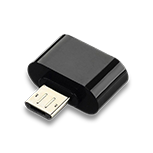
Micro USB
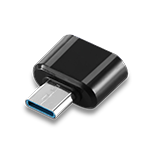
Type C
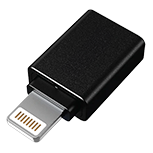
Lightning OTG
xorkee is a property of Odyssey Technologies Ltd. All other trademarks are properties of their respective owners.