Complete Email Security For Your Organization With IDzone
Give every employee a verified, organization-backed digital identity.
So clients and partners can trust every email and spot an impersonator at a glance.

Protect your brand reputation
Eliminate Corporate Impersonation
Verifiable Digital identities for everyone
Safeguard Your Organization's Reputation From Impersonators
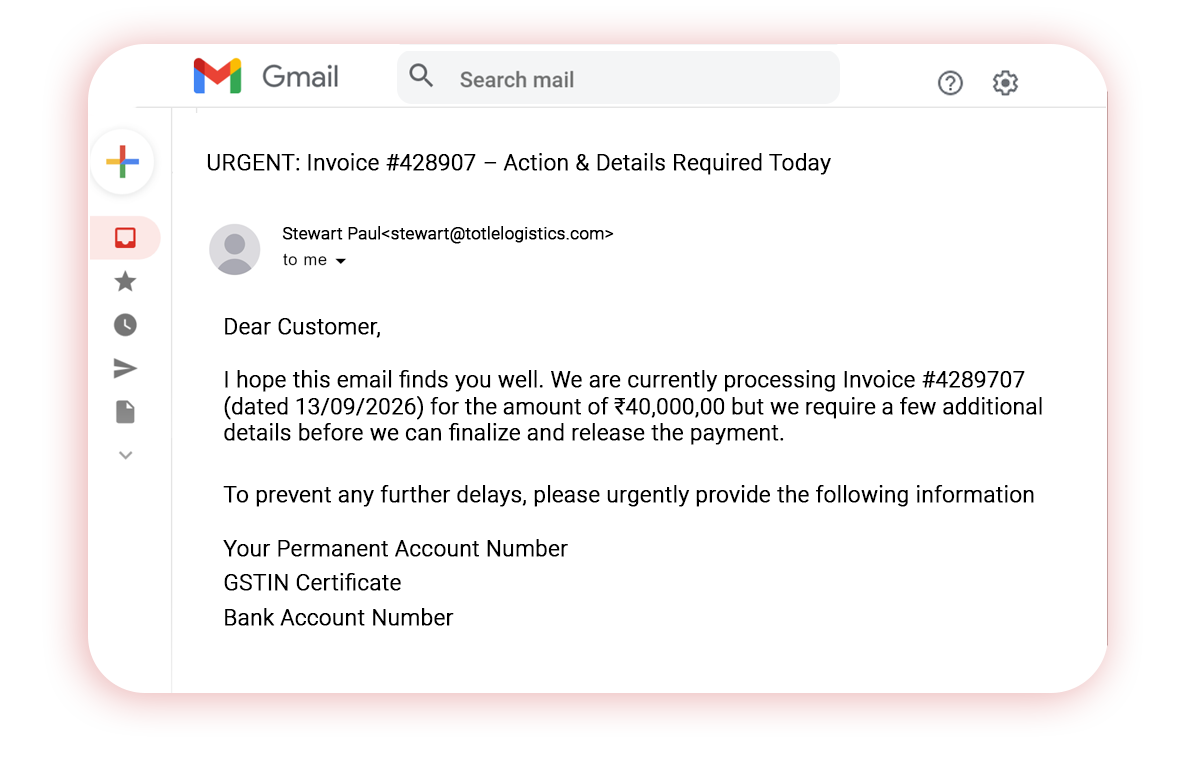
It is easy for a scammer to send an email to your clients or partners that appears to come from your finance team or your CEO. There is no reliable way to distinguish it from a genuine one. Every fake that gets through damages your brand and could also put your customers at risk.
IDzone is a feature of xorkeesign that allows organizations to group their entire workforce under one validated corporate identity.
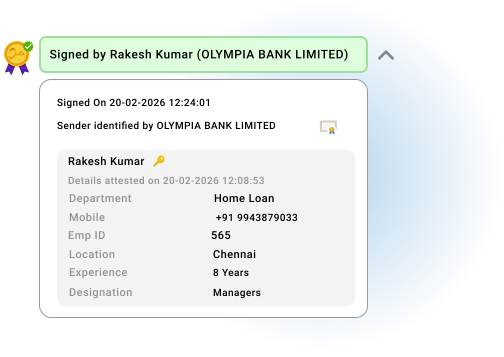
The result? Every email from an employees's mail ID will carry proof of sender authenticity and message integrity.
Trust built into every step
We verify your organization's identity first, and extend that trust to every email your people send.

Verify the Organization
An IDzone will be created using a Digital Signature Certificate (DSC) obtained from a licensed Certifying Authority (CA) that carries the organization name. The CA usually validates your organizational credentials before issuing such a certificate. This legally and irrefutably establishes your company’s identity. Get one or we’ll help you get one during implementation.
Add your Employees
Every user should download the xorkee app and create a xorkee handle. The IDzone admin can then add their handles, email IDs and other attributes to your IDzone.

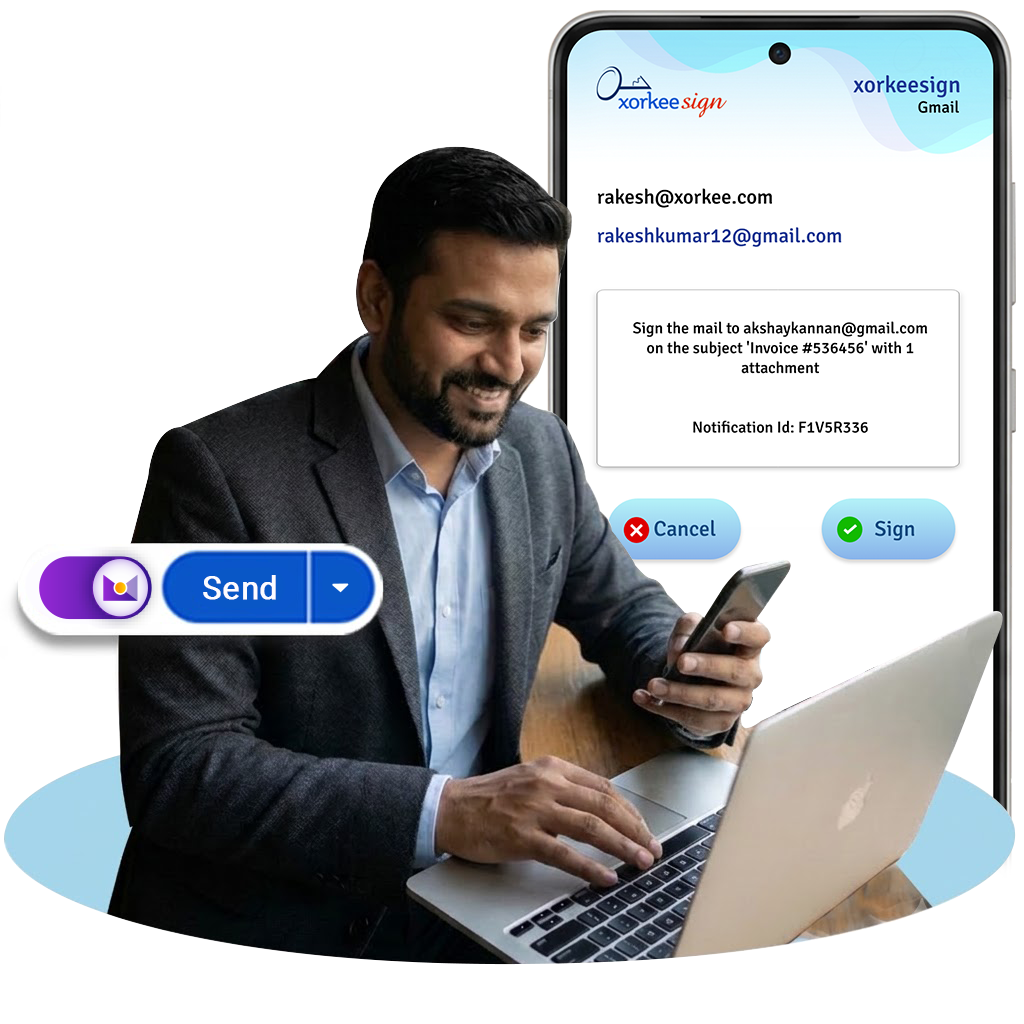
Sign and Send
The employees should then add an appropriate mail extension to their mail clients. In many cases it can be centrally added. Every mail sent thereafter by the user is signed and the signature incudes his attributes attested by the organization.
If someone leaves the organization the admin removes him from the IDzone and his signing access ends instantly.
With IDzone the trust in your organizational communications increases manyfold and every identity can be traced to your organization’s certificate.
Why IDzone Attributes
A traditional X.509 digital certificate from a public CA identifies you but has limited information about your other attributes such as department, designation, etc. which maybe relevant to your correspondents.
IDzone lets you add up to 10 custom attributes to each member’s signature. This expansion significantly helps the enhanced needs of today's connected world.
New
Reciprocal Signing
A frequently asked question is about the need for reciprocal trust.
"My recipient will trust me, but how can I trust their communication?"
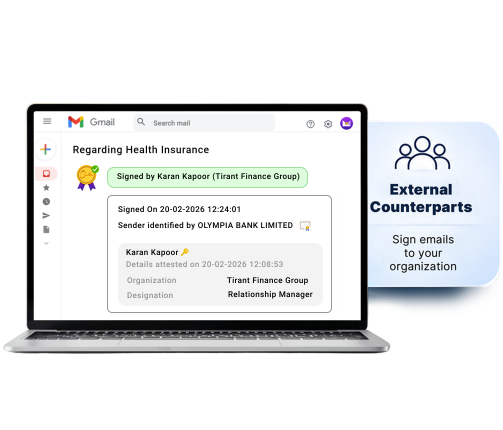
Well, the desired solution is to persuade the correspondent to sign his mails to you using his own DSC. But sometimes this coud be impractical. They maybe in jurisdictions without recognized Certifying Authorities or they may belong to small organizations which do not want to go through the expense of creating their own IDzone.
xorkeesign also lets you add such external correspondents to your Idzone. This forms a secure, closed user group where they can digitally sign their emails to you, fully protecting your mutual communications.
How IDzone benefits your organization

Easy for you to manage
The IDzone admin can seamlessly manage thousands of users under a unified interface with controlled signing access.

Email Security at a feasible cost
We’ve simplified the workflow to make email security viable for everyone, eliminating the cost and complexity of individual S/MIME certificates or DSCs.
Frequently Asked Questions
An Organization Digital Signature Certificate (DSC) is an electronic identity issued in the name of a responsible person in the organization and also carries the organization name. It must be procured from a licensed Certifying Authority. Odyssey is not a CA, but we can help you obtain one during implementation.
Traditional S/MIME setup forces IT teams to obtain individual certificates for every employee. IDzone eliminates that complexity with a single Organization DSC, allowing employees to sign their everyday emails with ease.
Each employee signs with his own keys generated on his mobile device when registering a xorkee handle, which is attested by the IDzone admin with an organization DSC. When sending an email, they sign it by authenticating a signature request on their phone. Every signature also carries up to 10 verified attributes such as name, department, designation, etc. tracing each email to both the specific sender and your company.
Employees should download the xorkee app from play store or app store and create a unique xorkee handle. Once an admin adds their handle to the IDzone, the user signs and send emails using their centrally added mail extension.
Recipients can use the free xorkeesign mail extension for their mail client and see an instant verification badge right in their mail. Every signed email also includes a verification footer with a direct link, making it easy for first time recipients to install the extension or verify the message.