


The Blind Spot
Your emails may look authentic, but standard email offers no way to prove they truly came from you. Attackers exploit this gap by impersonating you and sending emails that look real.

The Real Risk
Phishing succeeds not because systems fail, but because people tend to trust what they see. Decisions are made in a hurry, often without verification.

The Cost
It only takes one convincing email to trigger financial loss, expose sensitive information, or get someone to act on false information. By the time the fraud is discovered, the damage is already done.
Stop CEO fraud before it starts
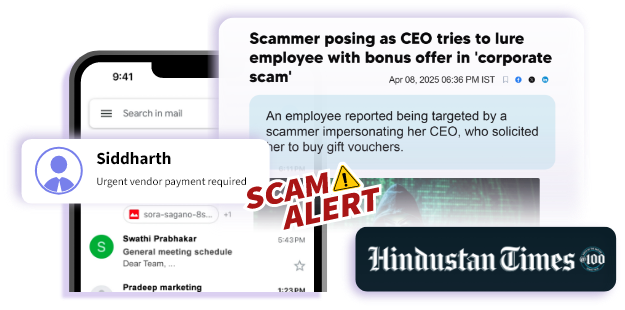
CEO frauds occurs when attackers impersonate executives and send fraudulent instructions to employees, vendors,or customers.
xorkeesign Mail enables executives to digitally sign emails so recipients can instantly verify authenticity before taking action.
INDUSTRY USE CASE
Learn how xorkeesign powers businesses in your industry


xorkeesign
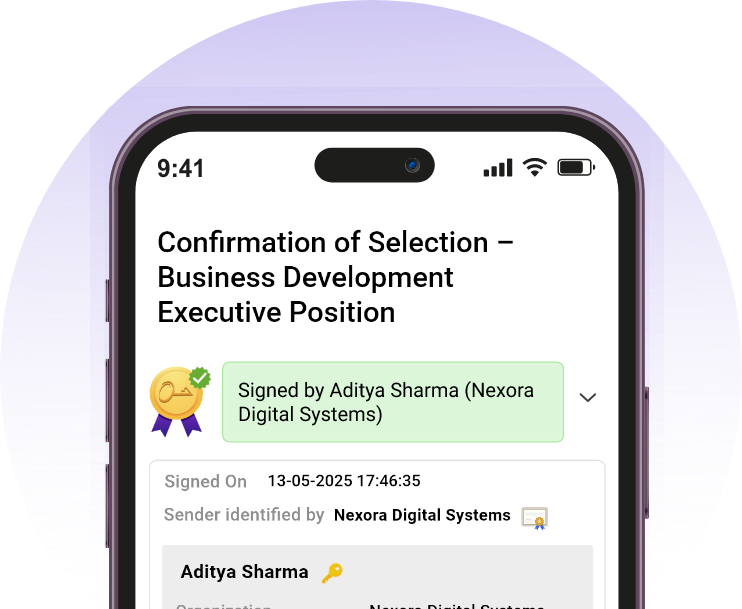
xorkeesign mobile app is a full-featured mobile app that lets you add and manage all your email accounts in one place, with built-in verification. Every mail you open is automatically checked for authenticity, so you know it's genuinely from the sender and hasn't been altered. You can compose and send digitally signed emails directly from your phone, ensuring your identity can be verified whenever you communicate.




xorkeesign webmail
xorkeesign browser extension lets you use your existing email on laptop or computer. It brings verification directly into your inbox, signing emails as you send them and verifying them when you receive them without taking you out of your mail interface. It works in the background with no change to how you compose or read emails. The functionality is also available as add-on for Outlook and Thunderbird clients. You send as usual, and recipients can verify the email by using the xorkeesign extension or add-on.
Supported mail clients and browsers


Download the extension to verify your signed mails for free!
Verifying a signed mail helps you confirm
Who sent it : The email is from the claimed sender with a validated identity.
Unchanged content : The contents of the mail and its attachment(s) have not been tampered.
Extended identity : Any additional details about the sender as attested by his organization.

Senders
Add your non-forgeable signature to every email you send with just a click
Recipients

Instant & free verification

Visual trust indicators

Seamless
adoption
See the difference
Without xorkeesign
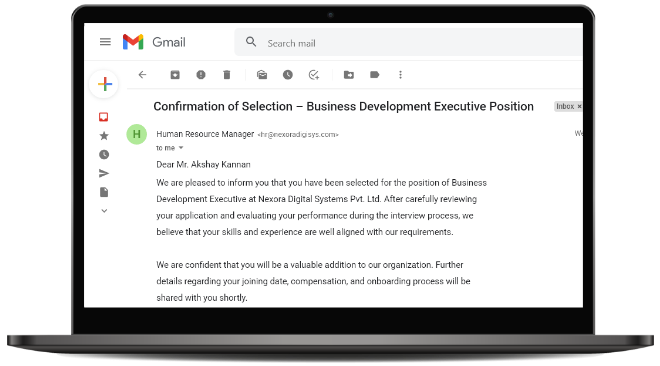

Looks legitimate
Might be fake
Recipient guesses

With xorkeesign
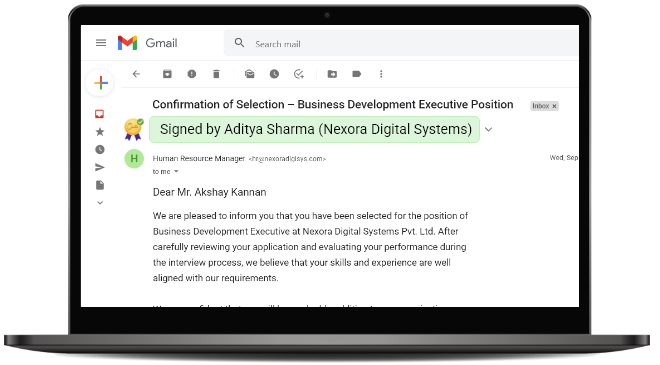

Verified sender
Cryptographic proof
Recipient knows

IDzone
Create a digital environment for your organization and secure your communication with clients
IDzone allows organizations to create a digital environment to easily manage team identities. The organization officially attests to each person's attributes, enabling recipients to verify that a message genuinely originates from that individual and is officially associated with the company.
TESTIMONIALS
What Our Customers Say


"The biggest advantage of using xorkeesign is peace of mind, we no longer worry about impersonation threats."
Anne Sahai Insila
ASST. Manager CRM
DHANVANTHRI LAND DEVELOPERS
"After xorkeesign came we immediately recognized, that the email did not come from the CEO. It was not even escalated, the employees directly marked it as scam."
Nitin Balajee




"xorkeesign is the only solution which is technically strong and practically easy and simple."
Chelladurai Bose
"Everyone in our organization has started signing their emails with xorkeesign. Now nobody asks whether it was actually you who sent the email."
Dr. Cyril Raj




"People used to raise a lot of questions about whether the email was actually sent by you or by someone else. From now on, I think we are safe because all our emails will be digitally signed using xorkeesign."
Rev. DR. M. THOMAS
The user's identity can be established using

Digital Signature Certificate

Key in the mobile and IDzone membership

Key in the mobile and user ID attested with eSign Coming soon
Frequently Asked Questions
The signature block you add at the bottom is just a string of text or an image that can be easily copied or faked; it does not bind the signature to you. In contrast, a digital signature is a cryptographic proof created through mathematical computation that binds you to the signature.
While AI can create perfect fake emails, it can’t fake your digital signature. A digital signature does not stop scammers from sending compromising emails, but it helps you identify if an email is genuine or tampered with. Even if an email looks 100% like yours, the digital signature will fail if it wasn't actually sent by you.
Color-coded labels give you quick visual proof of the email's safety. Green means the email is genuine and from an identified sender; Yellow means it was modified after signing. You can click the label to see the original message. Red means it is tampered with and does not originate from the actual source of the email. White means the mail is not signed.
Yes, you can manage both accounts within your browser or xorkeesign mobile app smoothly without any technical confusion.